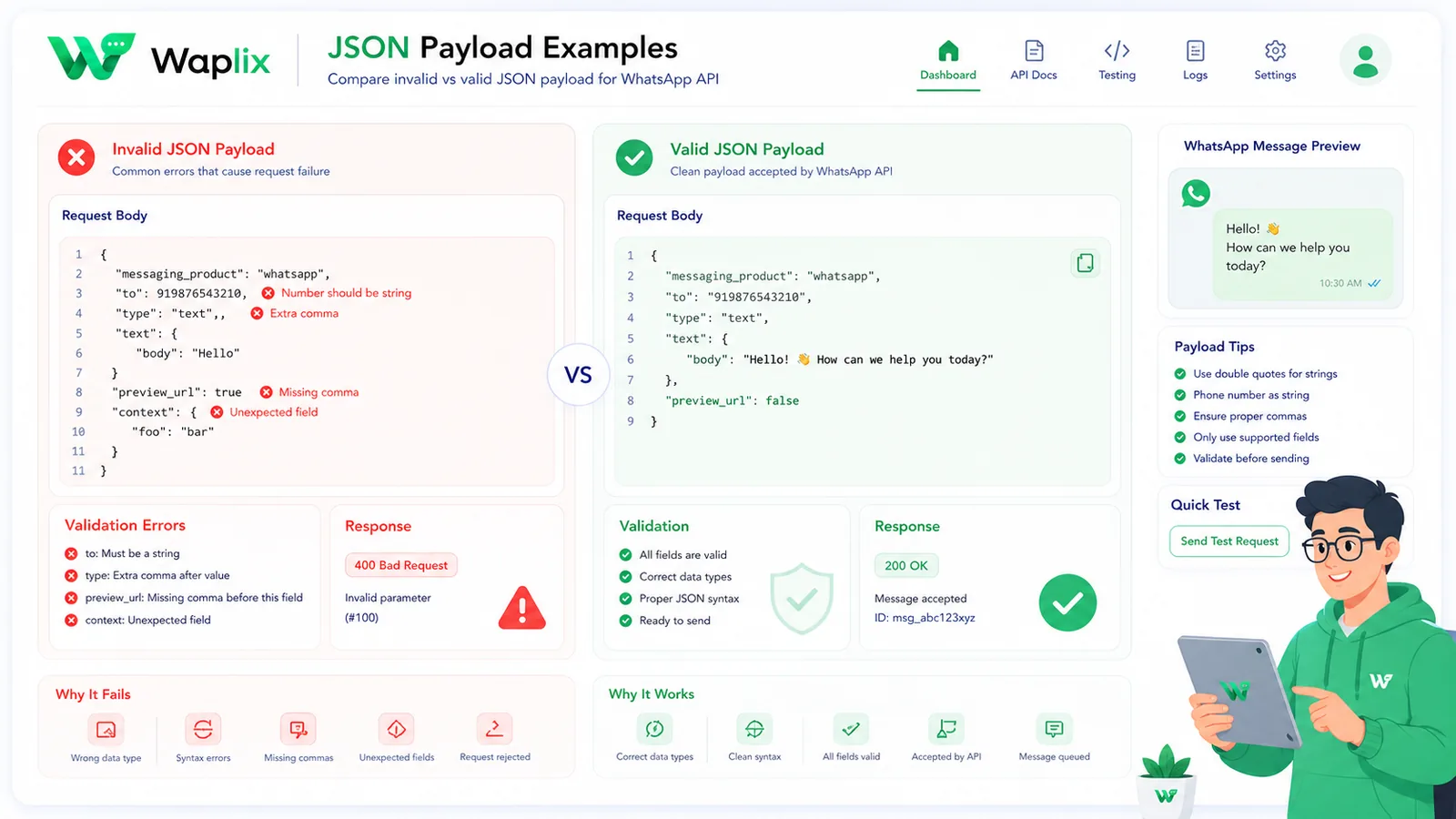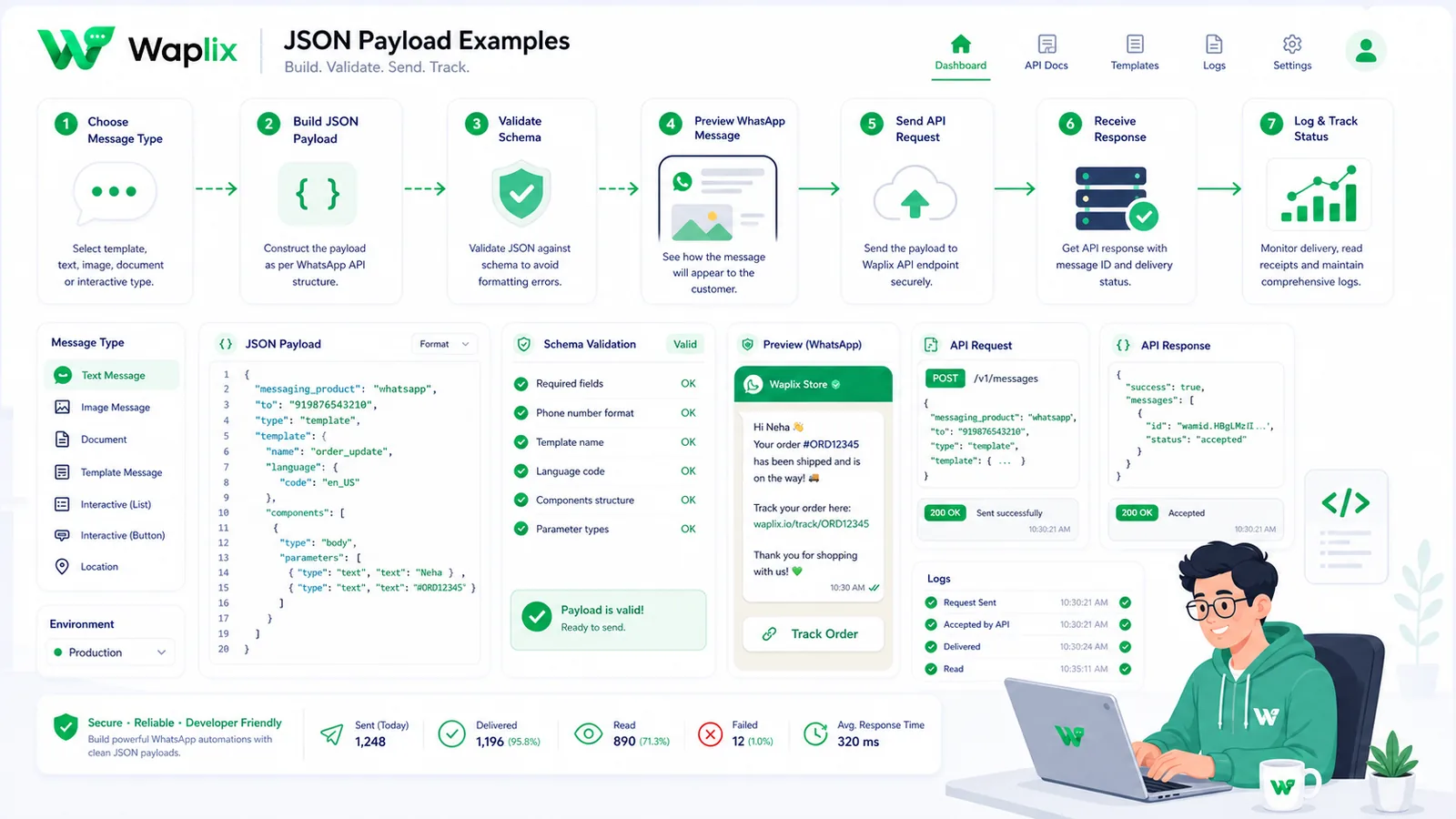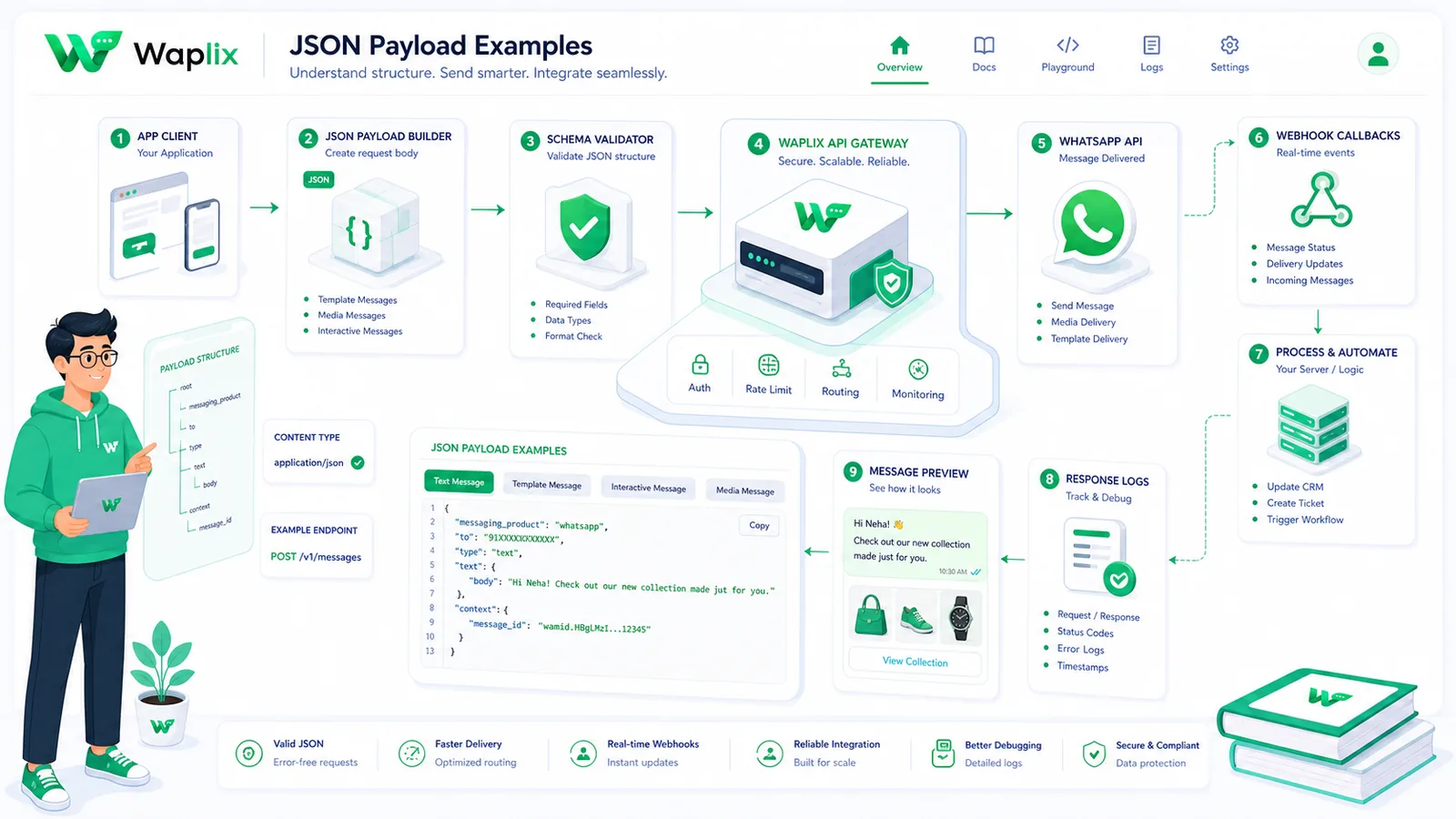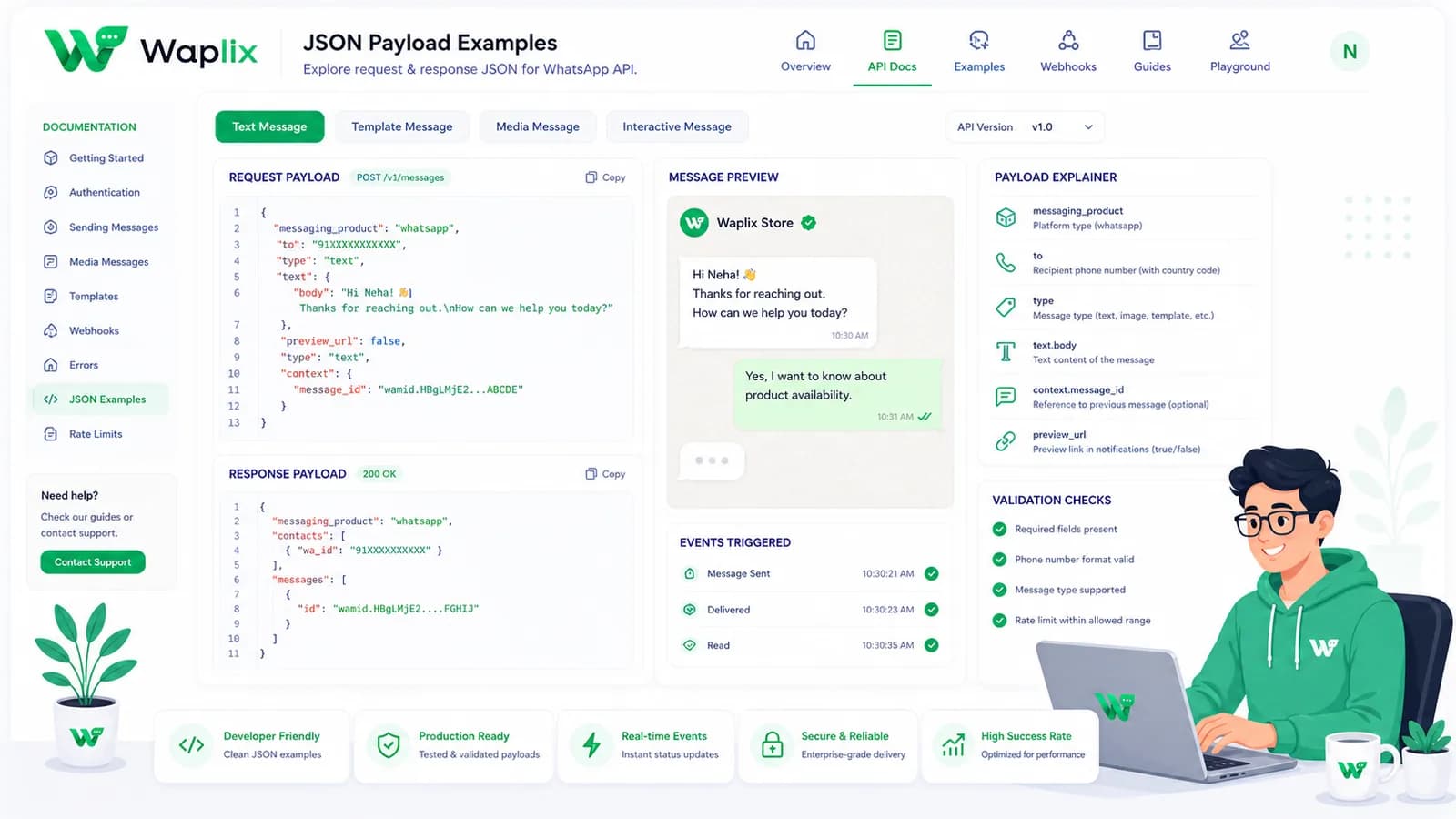
Connecting your server backend to the WhatsApp Business API requires building correct request schemas. Unlike simple messaging APIs that accept flat parameters, the WhatsApp gateway processes structured, nested JSON objects. Formatting errors in these payloads cause immediate validation rejections.
Integrating messaging templates, interactive quick-replies, dynamic buttons, and webhooks requires a clear payload reference. Implementing the correct schemas ensures payloads are accepted by the gateway and route accurately.
This developer guide details WhatsApp JSON payload examples. We will examine templates, interactive buttons, media objects, status payloads, setup checklists, and developer integration examples to help you structure your API calls.
Leverage our simplified JSON payloads, validate structures, and inspect logs in developer consoles.
Create your free developer account See Waplix features