WhatsApp Marketing

WhatsApp Marketing Examples That Actually Work

Get inspired by real-world templates and setups. Analyze high-converting copy, e-commerce cart rescue automation, interactive chatbot layouts, and see how to replicate them for your business.

Jun 6, 2026 11 min read By Waplix Team
Share:
WhatsApp Marketing Examples That Actually Work

Build High-Converting Campaigns

The difference between a successful WhatsApp campaign and a block-inducing blast comes down to execution. The most profitable campaigns do not look like ads; they read like helpful, direct notes from a reliable business partner or store associate.

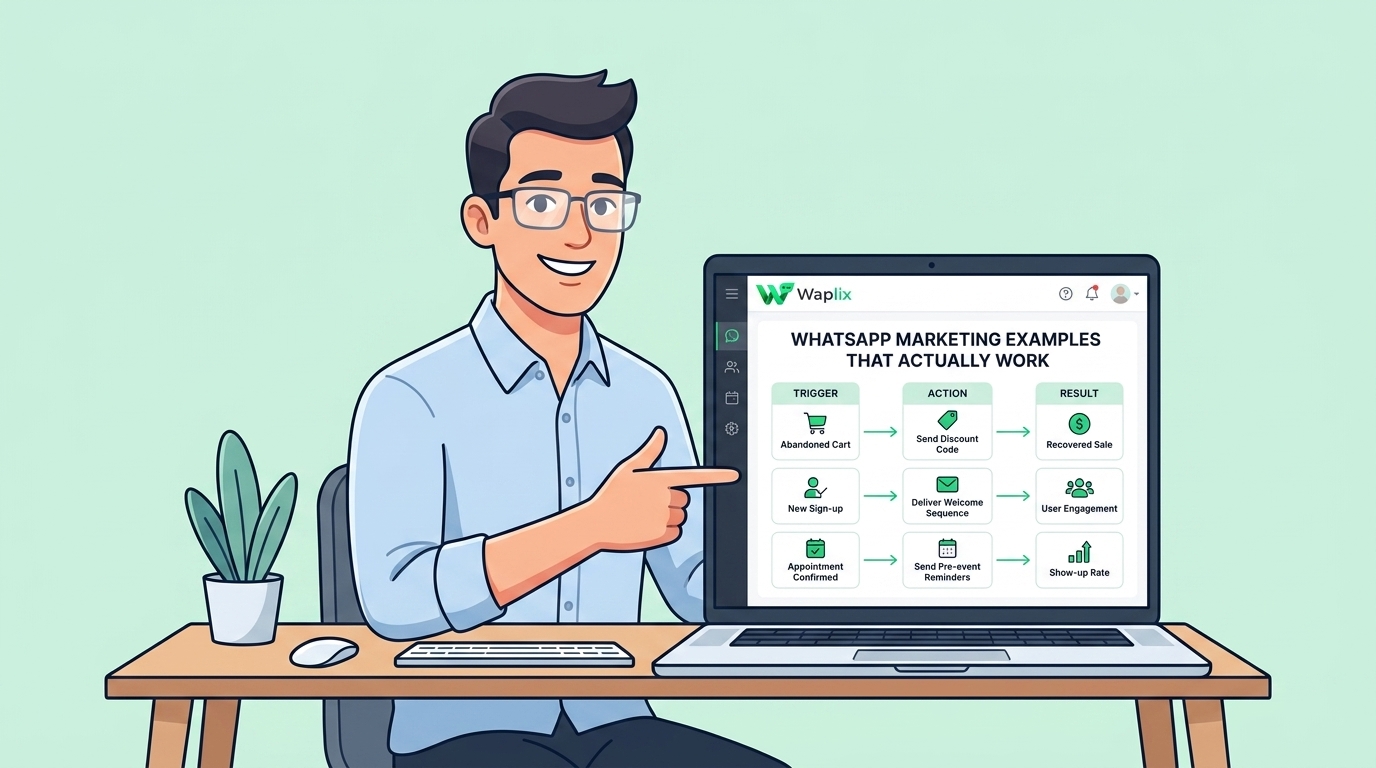
Seeing real-world templates and flows is the best way to design your own marketing strategy. From recovery alerts to customer surveys and order milestones, having a library of proven copy helps your team build assets that convert.

In this guide, we review key WhatsApp campaign examples, mapping out the precise layout parameters and templates you can build inside Waplix.

Fact: Templates containing interactive buttons see up to 3x higher CTR than templates relying on the recipient manually typing out a response.

Access template builders, e-commerce triggers, chatbot flows, and logging dashboards on Waplix.

Start for Free Review Campaign Docs
High-Performing vs. Low-Performing Template Structures

Small variations in your copy and CTA placement have major impacts on response rates and conversions.

Feature Element High-Performing Example Low-Performing Example (Avoid)
Greeting "Hi {{1}}, we noticed you left something..." "Dear Customer, check your cart now!"
Value Proposition "Claim your 10% discount on {{2}}." "BIG DISCOUNTS TODAY ONLY BUY NOW!!!"
Call-to-Action (CTA) Quick button: [Complete Order] Text link: "Click here: waplix.io/xyz"
Opt-Out Option Quick button: [STOP Notifications] "To stop receiving, please email support"
Context Timing Sent 45 mins after abandonment Sent 3 days later without context

6 Examples of WhatsApp Marketing Campaigns

Integrate these pre-structured campaign patterns into your sales pipeline.

01

Cart Rescue

Send a friendly picture of the abandoned product along with an instant checkout button.

02

VIP Restock Alert

Give priority customers early access to high-demand catalog items via dynamic discount links.

03

Order Confirmation

Combine receipts, delivery timelines, and support channels into a single post-checkout utility message.

04

Feedback & Survey

Deliver a 1-click survey template 3 days post-delivery to log CSAT metrics automatically.

05

Subscription Renewal

Send billing alerts with pre-loaded checkout URLs to minimize payment churn.

06

Automated FAQ Bot

Allow users to scan a QR code at checkout to resolve common delivery questions instantly.

Developer Integration: Creating and Registering Templates

Developers can programmatically register or fire templates. Below is the API payload structure to send an interactive marketing template.

Endpoint

POST /api/v1/messages/send
Authorization: Bearer YOUR_API_TOKEN
Content-Type: application/json

{
  "to": "+15554567890",
  "type": "template",
  "template": {
    "name": "vip_early_access",
    "language": "en",
    "components": [
      {
        "type": "header",
        "parameters": [
          {
            "type": "image",
            "image": {
              "link": "https://waplix.io/assets/img/vip-launch.jpg"
            }
          }
        ]
      },
      {
        "type": "body",
        "parameters": [
          { "type": "text", "text": "Elena" },
          { "type": "text", "text": "Summer Collection" }
        ]
      },
      {
        "type": "button",
        "index": "0",
        "sub_type": "url",
        "parameters": [
          { "type": "text", "text": "vip-access?code=ele55" }
        ]
      }
    ]
  }
}

Response Example

{
  "success": true,
  "message_id": "msg_881902",
  "status": "queued",
  "timestamp": "2026-07-06T18:25:00Z"
}

Webhook Event Callback

{
  "event": "message.delivered",
  "message_id": "msg_881902",
  "to": "+15554567890",
  "timestamp": "2026-07-06T18:25:03Z"
}

Compliance and Quality Guardrails

High-converting marketing campaigns must still respect Meta's quality restrictions. Maintain compliance with these rules:

Compliance Note: Meta blocks templates that fail to specify clear variable placeholders during review. Ensure your variables are surrounded by descriptive fallback text.
  • Include clear unsubscribe buttons in every promotional broadcast flow.
  • Keep template category matching accurate (e.g. do not hide a marketing offer under a utility tag).
  • Maintain your number status by auditing complaint rates after every major broadcast drop.
  • Provide human agent routing fallback whenever users click help or support buttons.

Interactive Template Builders

Design your next successful campaign inside the Waplix designer.

Waplix Rich Template Builder

Visual workspace showing variable definition, header media loading, and interactive button mapping.

Suggested setup: template canvas defining 'vip_early_access' with image header, name variable, and CTA URL button.
Workflow Process
Suggested setup: trigger word 'VipClub' fires product menu card, user choice logs tag, chatbot returns checkout link.

Build Campaigns That Convert

By studying real-world templates, using personalized variables, integrating quick-reply buttons, and designing fallback chatbot routes, you can build engaging campaign systems that drive revenue while protecting account health.

Deploy Interactive Templates Today

Utilize visual builders, CRM mapping, webhook triggers, and detailed campaign reporting on Waplix.

Register Free Compare Platform Tiers

Related Guides & Insights

AI Appointment Booking on WhatsApp
AI Agents

AI Appointment Booking on WhatsApp

Learn how to build AI-driven booking systems on WhatsApp, connecting calendar databases to conversational agents, automating updates, and reducing client no-shows.

Read Article
AI Automation for Small Businesses
AI Agents

AI Automation for Small Businesses

Discover practical ways small businesses can leverage no-code AI automation on WhatsApp to manage customer conversations, qualify prospects, and coordinate bookings 24/7.

Read Article
AI Memory in Customer Support
AI Agents

AI Memory in Customer Support

Explore the technology behind AI memory and context retention, learning how session databases personalization results in better, trust-filled client interactions.

Read Article