Customer Support

How to Build a WhatsApp Help Desk

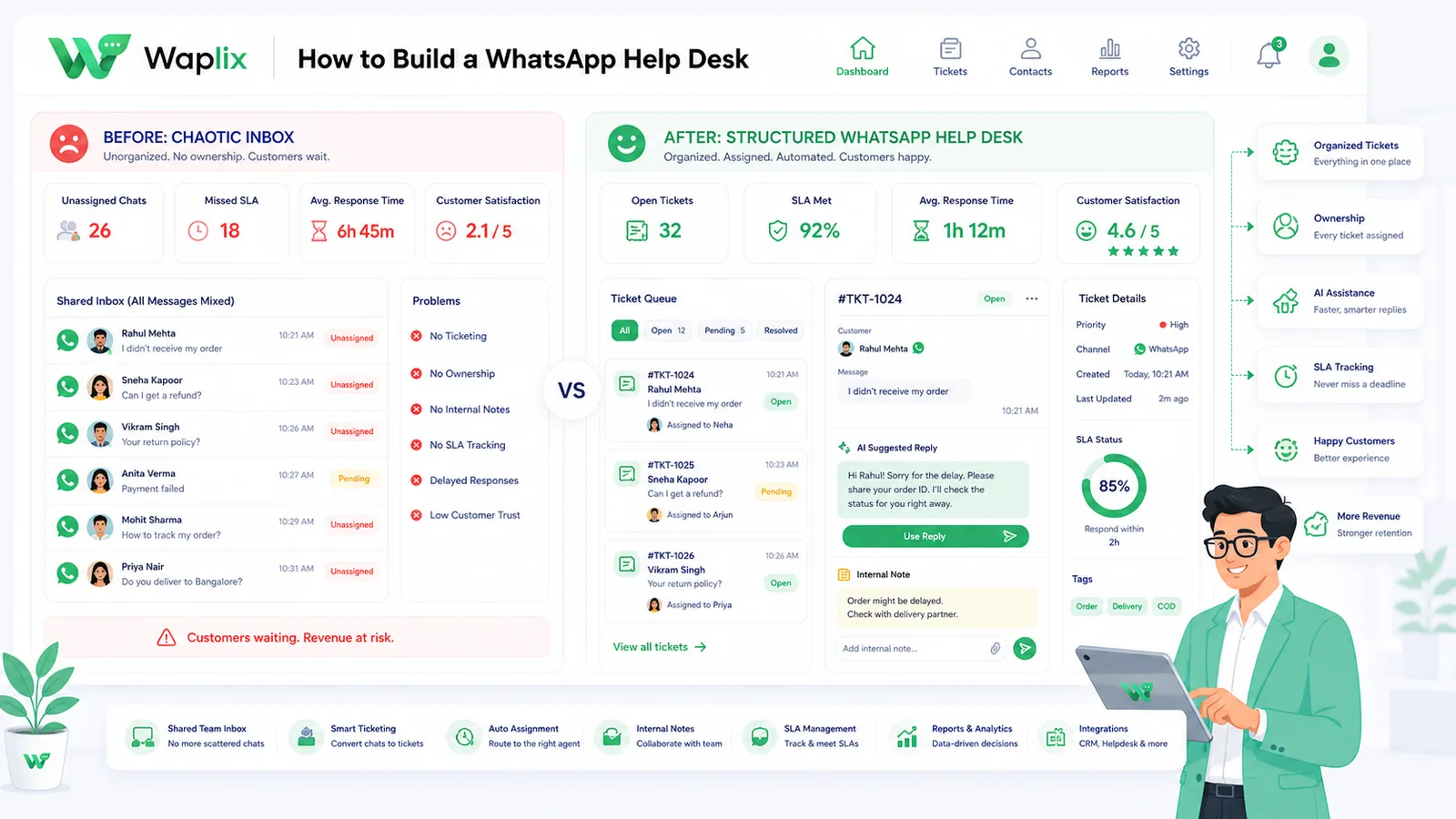
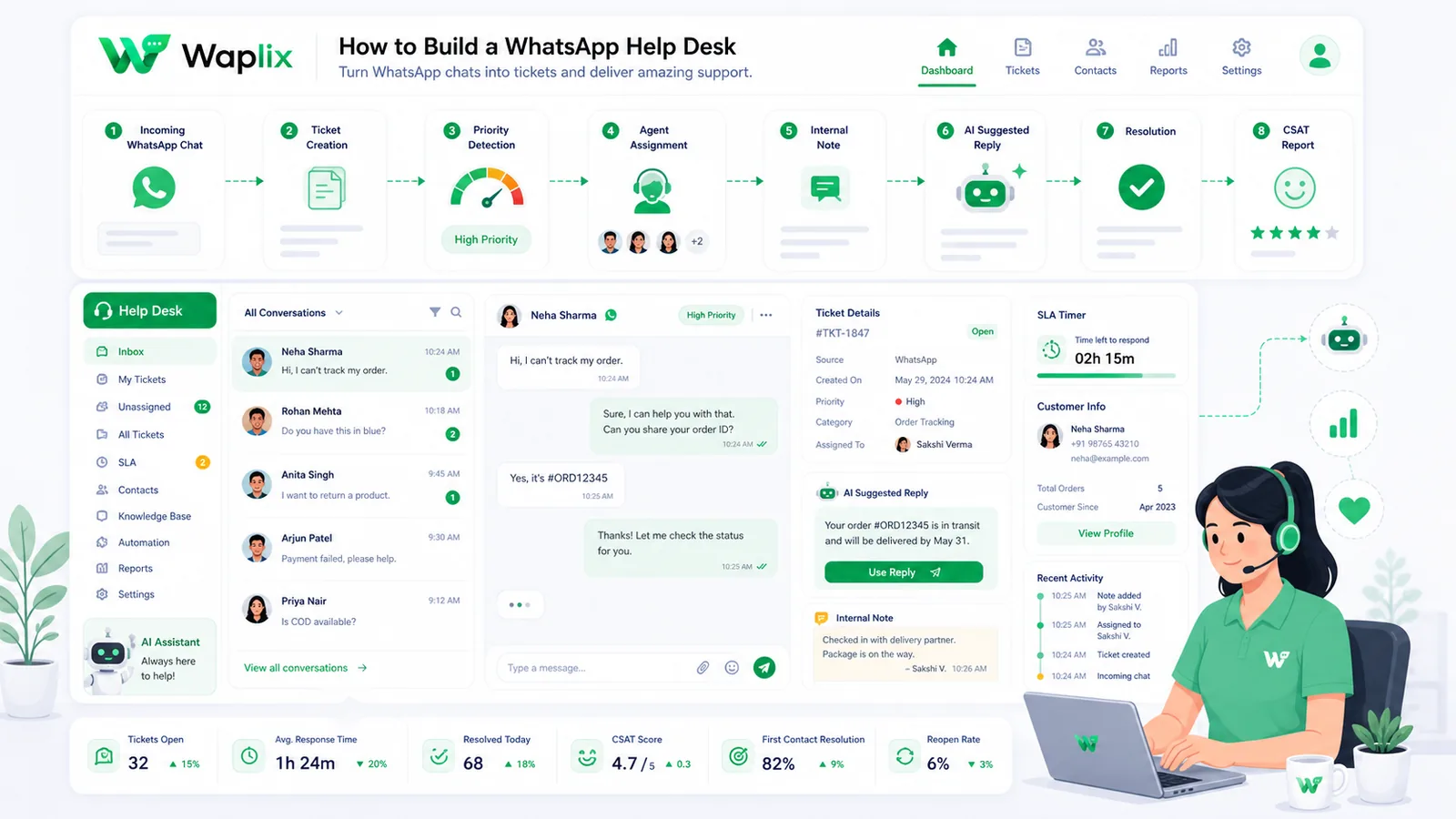
Customers expect fast answers on WhatsApp—but a shared phone and ad-hoc replies do not scale. A proper help desk adds queue routing, agent collision prevention, CRM context, and optional AI triage on top of the WhatsApp Business API.

Sep 21, 2025 15 min read By Waplix Team
Share:
How to Build a WhatsApp Help Desk

Launch your WhatsApp help desk with Waplix

Support teams everywhere face the same pressure: customers want instant answers, but ticket volume keeps growing. Email queues feel slow. Phone lines are expensive. And managing WhatsApp from one person's phone breaks the moment you hire a second agent.

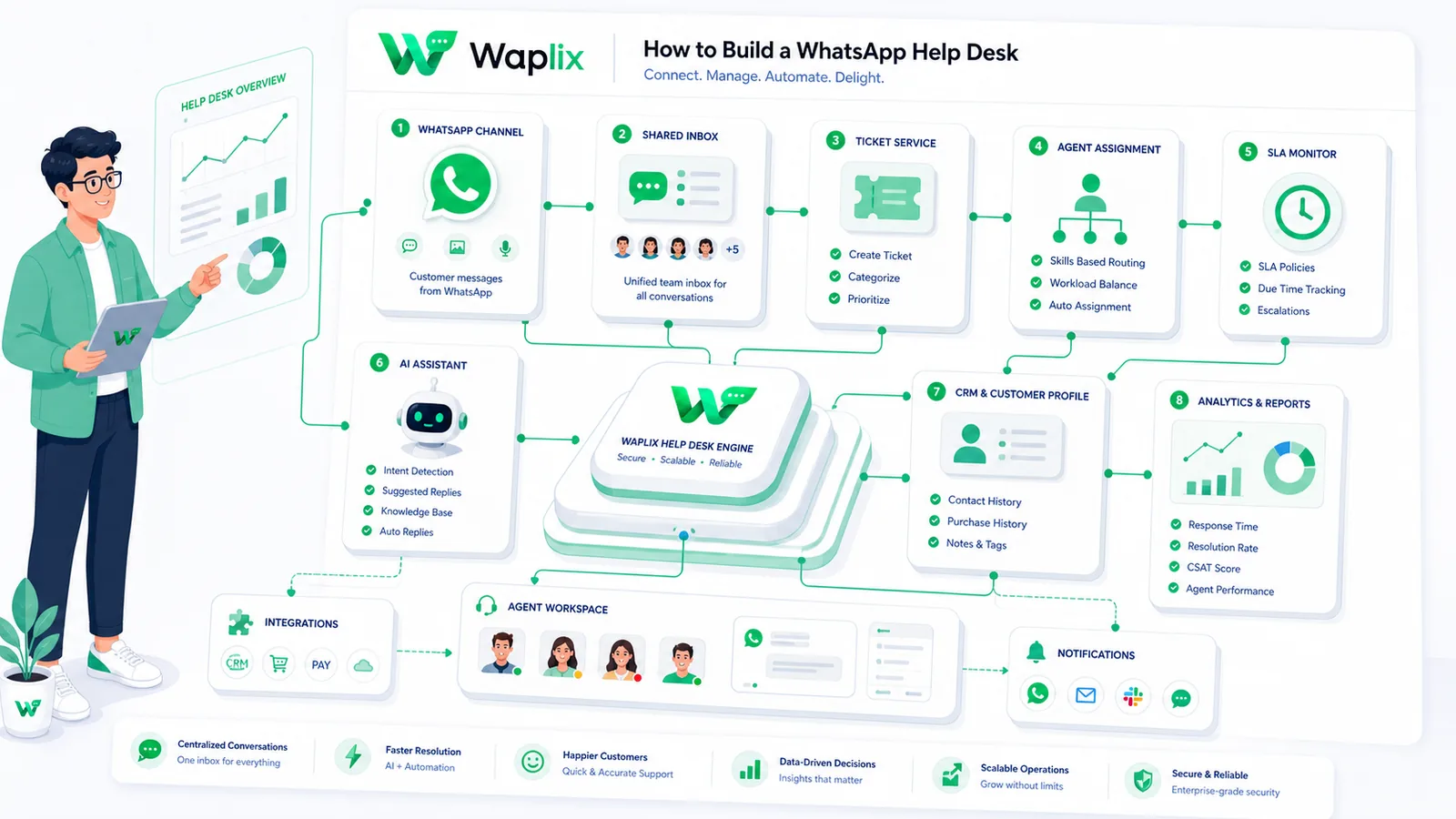
A WhatsApp help desk solves this by treating WhatsApp like a professional support channel—not a personal messaging app. Multiple agents work from one shared inbox. Conversations get assigned to queues. CRM data appears beside each thread. AI handles routine questions while humans take complex cases.

This guide walks through how to build a WhatsApp help desk from scratch: prerequisites, setup steps, routing logic, architecture, developer integrations, compliance, and the operational practices that keep support quality high as volume grows.

Quick answer: Connect a business number to the WhatsApp API, configure a shared inbox with queue routing, add CRM context and collision detection, optionally deploy an AI agent for tier-1 triage, and define SLAs your team can actually meet.

Shared inbox, queue routing, AI agent support, templates, and webhooks—built for support teams.

Create your free Waplix account Explore AI agent documentation
What a WhatsApp help desk includes

A help desk is more than receiving messages. It is the operational layer that makes WhatsApp support repeatable, measurable, and team-friendly.

  • Shared inbox — all agents see incoming conversations in one place
  • Queue routing — messages land in Sales, Billing, Technical, or regional queues
  • Assignment rules — auto-assign to available agents or round-robin across a team
  • Collision detection — prevent two agents replying to the same customer
  • CRM integration — order history, tags, and past tickets visible in-thread
  • AI triage (optional) — automate FAQs with human handover for exceptions
  • SLA tracking — monitor first response and resolution times
  • Template management — send proactive updates outside the 24-hour window

Key takeaway

If your team cannot see who is handling which conversation, you do not have a help desk yet—you have a shared password problem.

Prerequisites before you start

Gather these assets before configuring queues or writing webhook code.

  • Dedicated phone number not registered on the consumer WhatsApp app
  • Meta Business Manager account with business verification completed
  • WhatsApp API access through a platform like Waplix
  • Support documentation — FAQs, return policy, shipping info for agents and AI
  • CRM or customer database for context and ticket sync
  • Internal routing map — which topics go to which team
CapabilityPersonal WhatsAppWhatsApp help desk (API)
Multi-agent accessLimited linked devicesTeam inbox with roles
Queue routingManual forwardingAutomated assignment rules
CRM syncNoneCustomer context in-thread
SLA reportingNoneResponse and resolution metrics
AI triageNoneAutomated tier-1 with handover
Proactive templatesNot availableApproved utility/marketing templates

Step-by-step help desk setup

Follow this sequence to go from zero to a functioning support operation.

01

Connect your number

Register your support line through Waplix and complete Meta business verification.

02

Submit greeting templates

Approve welcome messages and quick-reply menus customers see when initiating contact.

03

Create team queues

Define Sales, Support, Billing, or regional queues with assignment rules.

04

Enable collision detection

Turn on active-thread indicators so agents know when a colleague is already replying.

05

Connect CRM context

Surface order history, tags, and prior tickets beside each conversation.

06

Configure AI triage

Train on help docs for tier-1 automation with explicit human handover triggers.

07

Set SLA targets

Define first response and resolution goals your team can consistently meet.

08

Test end-to-end

Run test conversations through routing, AI escalation, and template sends before launch.

Tip: Launch with one queue and two agents first. Add routing complexity only after baseline response times are stable.

Queue routing and assignment logic

Routing decides which team owns each conversation. Good routing reduces transfers, speeds resolution, and prevents tickets from sitting unassigned.

Common routing strategies

StrategyHow it worksBest for
Keyword routing"Refund" → Billing, "Not working" → TechnicalClear topic separation
Round-robinRotate assignments across available agentsEven workload distribution
Tag-basedVIP or enterprise tags route to senior agentsAccount-tier support
Language routingDetect locale and assign to native speakersMultilingual support teams
AI-first triageBot resolves tier-1; humans get escalations onlyHigh volume, repetitive FAQs

When a customer messages your business, the system checks returning contact status, applies routing rules, and either assigns to an agent queue or routes through AI triage. Complex issues—billing disputes, angry customers, explicit "talk to a human" requests—should bypass automation immediately.

AI triage and human handover

AI agents can deflect a meaningful share of tier-1 volume when trained on accurate documentation. They are not a replacement for your support team—they are a filter that lets humans focus on cases that need judgment.

  • Train on real docs. Upload FAQs, return policies, shipping tables, and product guides—not outdated PDFs.
  • Define handover triggers. Escalate on keywords like "refund," "lawyer," "cancel account," or low confidence scores.
  • Preserve context. When AI hands off, the human agent should see the full conversation history.
  • Review weekly. Check where AI fails and update the knowledge base—quality compounds over time.
  • Never hide the bot. Customers appreciate transparency when automation is helping them.
Important: AI support quality depends entirely on the accuracy of your knowledge base. Garbage documentation produces confident wrong answers—review and update regularly.

Technical architecture

Under the hood, a WhatsApp help desk synchronizes messages between Meta's API, your platform middleware, agent clients, and optional CRM systems.

01

Customer sends message

Meta delivers a webhook payload to Waplix or your middleware.

02

Message logged

Thread stored in database with customer identifier and timestamp.

03

CRM lookup

Customer profile, orders, and tags attached to the conversation.

04

Routing applied

Queue assignment or AI triage determines next handler.

05

Agent notified

Inbox UI updates in real time for assigned agents.

06

Reply sent

Agent or AI response flows back through the WhatsApp API.

Developer view: API and webhooks

Developers can extend the help desk with custom CRM sync, ticket creation, and automated status notifications.

Send ticket status update (outside service window)

POST /api/v1/messages/send
Authorization: Bearer YOUR_API_KEY
Content-Type: application/json

{
  "to": "+15550144983",
  "type": "template",
  "template": {
    "name": "ticket_status_update",
    "language": "en",
    "components": [
      {
        "type": "body",
        "parameters": [
          { "type": "text", "text": "Marcus" },
          { "type": "text", "text": "INC-4029" },
          { "type": "text", "text": "Resolved" }
        ]
      }
    ]
  }
}

Inbound message webhook

{
  "event": "message.received",
  "message_id": "msg_d098127349",
  "from": "+15550144983",
  "type": "text",
  "text": {
    "body": "Can I check the status of ticket INC-4029?"
  },
  "timestamp": "2026-07-06T14:45:00Z"
}

JSON response example

{
  "success": true,
  "message_id": "msg_990214",
  "status": "sent",
  "channel": "whatsapp"
}
Security note: Store API keys in environment variables. Validate webhook signatures server-side. Rate-limit outbound sends and log failures for retry—not silent drops.

See the API documentation, webhook documentation, and message documentation for production patterns.

See Waplix features

Shared inbox, queue routing, AI agents, templates, and webhook tools for support teams.

See Waplix features View Waplix pricing

SLAs and support metrics

A help desk without metrics is just a chat window. Define SLAs your team can meet, then measure honestly.

MetricWhat to measureWhy it matters
First response time (FRT)Time from customer message to first agent replySets customer expectations immediately
Resolution timeTime from open to closed conversationReflects actual problem-solving speed
CSAT / feedbackPost-resolution rating or thumbs up/downQuality check beyond speed
AI deflection rateConversations resolved without human agentValidates automation ROI
Escalation rateAI-to-human handover frequencySignals knowledge base gaps
Reopen rateConversations marked resolved then reopenedCatches premature closures
Best practice: Review SLA dashboards weekly with agents—not just managers. Frontline feedback improves routing and documentation faster than top-down reports alone.

Compliance and the 24-hour window

WhatsApp help desks operate within messaging policies that differ from email support norms.

  • Service window. Free-form replies are allowed within 24 hours of the customer's last message.
  • Template requirement. Proactive outbound messages outside the window need approved templates.
  • Opt-in for proactive contact. Ticket updates and marketing follow-ups may require documented consent.
  • Opt-out handling. Honor STOP requests and suppress future proactive sends immediately.
  • Data privacy. Follow GDPR and applicable local regulations for customer data in conversations.
Important: This guide is operational guidance, not legal advice. Consult qualified counsel for your markets and use cases.

How Waplix helps you build a WhatsApp help desk

Waplix provides WhatsApp API access, shared team inbox, queue routing, AI agent support with human handover, template management, CRM integration, webhook tools, and reporting—so support teams can launch and scale without building infrastructure from scratch.

Shared team inbox screenshot placeholder

Replace this with a real Waplix screenshot showing active support chats, assignment queues, and custom tags.

Suggested screenshot: Waplix shared inbox with conversations assigned to different agents.
Queue routing rules screenshot placeholder

Replace this with a real Waplix screenshot showing team assignment settings and routing rules.

Suggested screenshot: queue assignment and automatic routing configuration.
AI support agent screenshot placeholder

Replace this with a real Waplix AI agent screenshot showing knowledge base and handover settings.

Suggested screenshot: AI agent configuration with human handover triggers.
Webhook logs screenshot placeholder

Replace this with a real Waplix screenshot showing webhook history and delivery status.

Suggested screenshot: webhook log console with inbound and outbound message events.

Explore the AI agent documentation and our guide on how AI is changing WhatsApp customer support.

Common mistakes to avoid

  • Using a personal WhatsApp number. No multi-agent routing, no CRM sync, policy risk.
  • No assignment rules. Conversations sit unowned while customers wait.
  • Skipping collision detection. Duplicate replies confuse customers and waste agent time.
  • AI without handover. Complex cases trapped in automation loops frustrate users.
  • No CRM context. Agents ask customers to repeat information they already provided.
  • Launching before testing. Routing bugs discovered by real customers damage trust fast.

Best practices for long-term success

Start small, scale deliberately

One queue, clear SLAs, then add routing complexity as volume grows.

Keep knowledge bases current

Update AI and agent docs whenever policies or products change.

Coach agents on collision rules

Culture matters as much as software for inbox hygiene.

Review escalations weekly

Patterns in AI handovers reveal documentation and routing gaps.

Final recommendation

Building a WhatsApp help desk is one of the highest-impact moves a support team can make when customers already message you on WhatsApp—or expect to. The API layer unlocks shared inboxes, routing, CRM context, AI triage, and measurable SLAs that a personal phone never will.

Start with number setup, one queue, collision detection, and basic SLAs. Add AI triage and CRM depth once the foundation works. Measure response quality, not just speed—and improve routing and documentation from what the data shows.

Start building with Waplix

Launch a WhatsApp help desk with shared inbox, routing, AI agents, and webhook integrations.

Create your free Waplix account Talk to Waplix

Frequently Asked Questions

A WhatsApp help desk is a structured support system built on the WhatsApp Business API that lets multiple agents manage customer conversations from a shared inbox. It includes queue routing, collision detection, CRM context, optional AI triage, and reporting—so support scales beyond a single phone checking messages manually.

A basic setup—business number connected, shared inbox live, greeting template approved—can often be completed in a day with a platform like Waplix. CRM integrations, custom routing rules, and AI agent training typically add a few more days depending on complexity and template approval timelines.

When a customer messages your business, a 24-hour customer service window opens. During this window, agents can reply with free-form messages. After it closes, proactive outbound messages generally require approved WhatsApp templates. Help desk workflows should account for both modes.

Yes. Using Waplix APIs and webhooks, you can sync inbound and outbound messages, create or update tickets, and attach conversation history to CRM records. Many teams run Waplix as the WhatsApp layer while keeping their existing ticket system as the source of truth.

Not for a standard setup. Support and operations teams can configure shared inboxes, assignment rules, templates, and AI agents through Waplix without writing code. Developers become valuable when you need custom webhook logic, deep CRM sync, or proprietary routing based on internal data.

Use collision detection in your shared inbox—active viewing indicators and typing awareness show when another agent is already handling a thread. Combine this with clear assignment rules so each conversation has an owner until resolved or explicitly transferred.

AI agents work well for tier-1 queries—order status, FAQs, business hours, return policy—when trained on accurate knowledge base content. Always configure human handover for billing disputes, complaints, edge cases, and whenever the customer asks for a person. AI quality depends on the documentation you provide.

The WhatsApp Business API supports multi-agent access through platforms like Waplix, unlike the consumer WhatsApp app which is limited to a small number of linked devices. Agent capacity depends on your Waplix plan and how you structure teams and queues—not on a single-phone limitation.

Related Guides & Insights

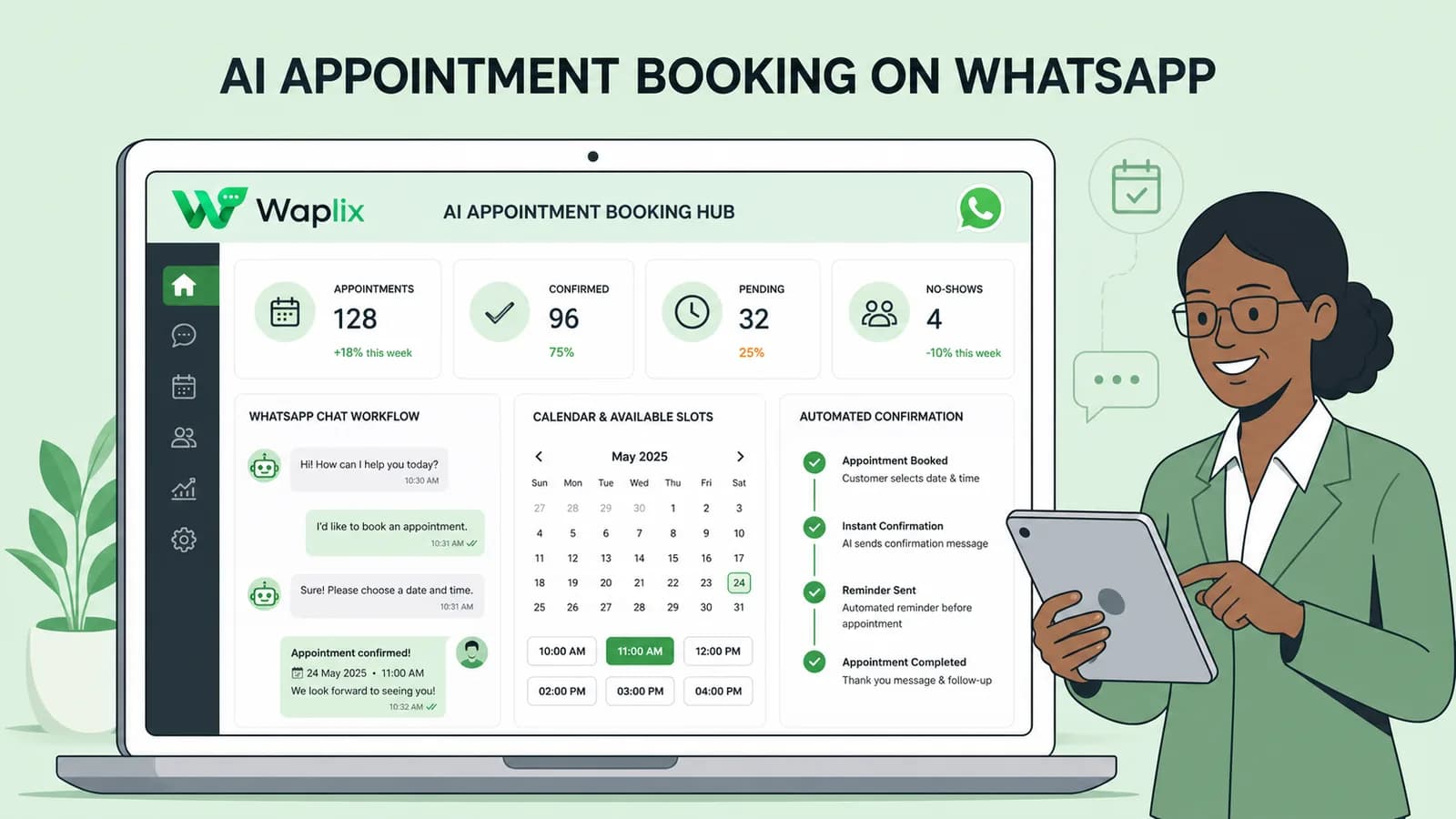
AI Appointment Booking on WhatsApp
AI Agents

AI Appointment Booking on WhatsApp

Learn how to build AI-driven booking systems on WhatsApp, connecting calendar databases to conversational agents, automating updates, and reducing client no-shows.

Read Article
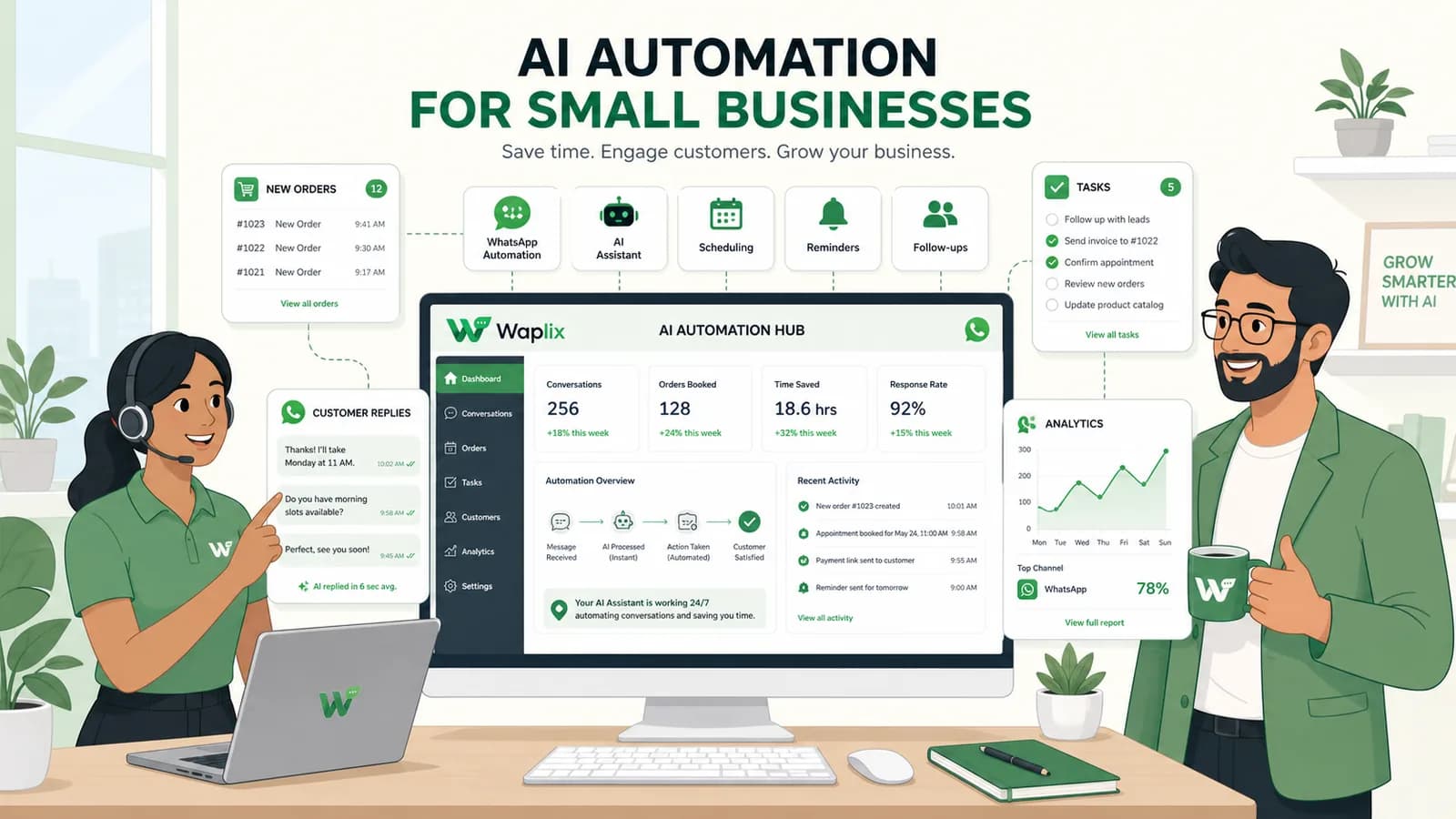
AI Automation for Small Businesses
AI Agents

AI Automation for Small Businesses

Discover practical ways small businesses can leverage no-code AI automation on WhatsApp to manage customer conversations, qualify prospects, and coordinate bookings 24/7.

Read Article
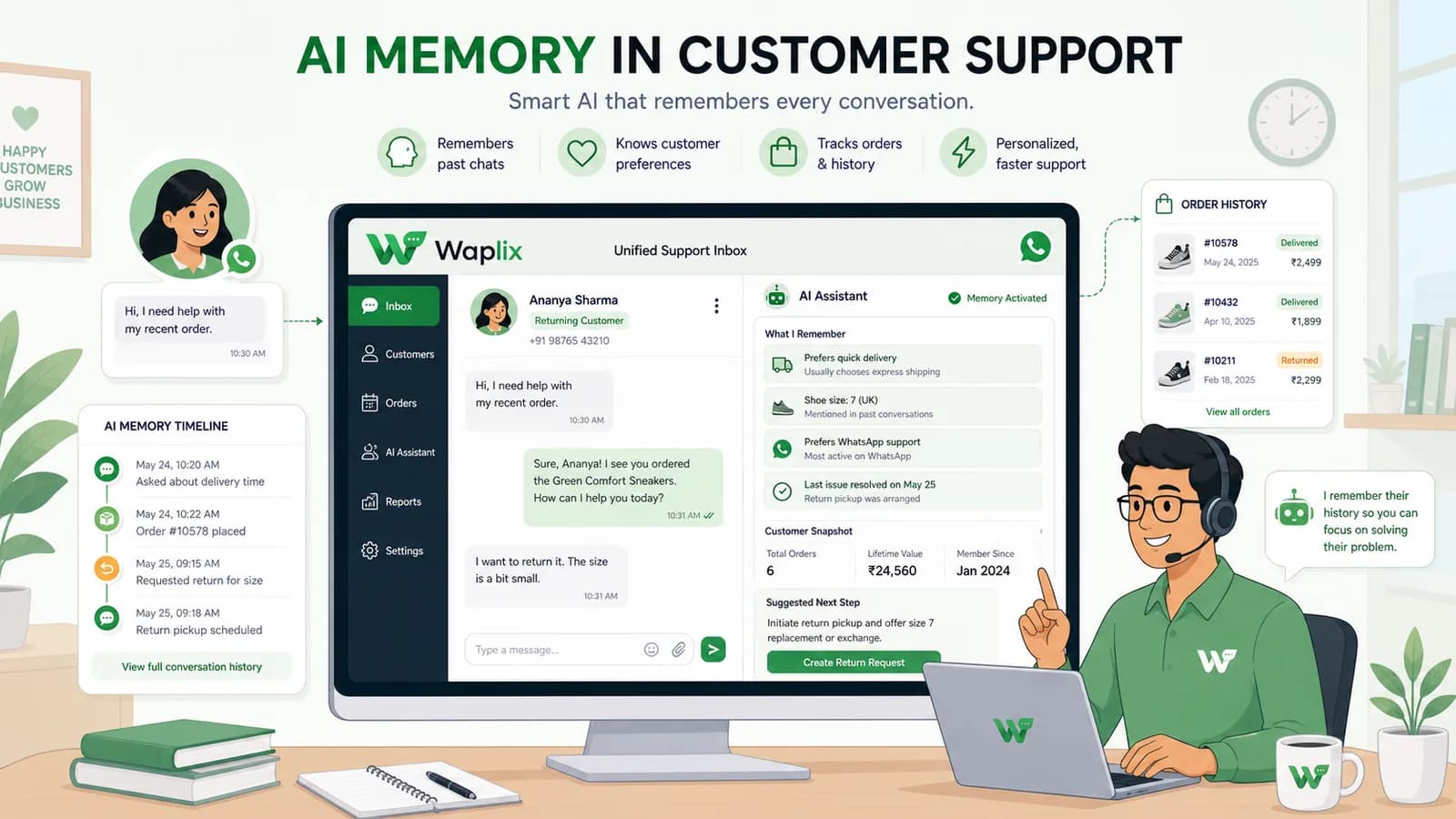
AI Memory in Customer Support
AI Agents

AI Memory in Customer Support

Explore the technology behind AI memory and context retention, learning how session databases personalization results in better, trust-filled client interactions.

Read Article